Creating Ads Yourself Using AI
A Beginner’s Step-by-Step Guide to Using AdCreative.ai (2026 Guide)

If you’ve never created an ad before, this guide is for you.
Today, you’ll learn how to create professional-looking ads using AI — without being a designer, without hiring an agency, and without technical experience.
Product Example (Training Demo): Packaged Nigerian Food (Egusi Soup Pack)
Target Market: Nigerians living abroad (UK, US, Canada)
Note: This is a training demo. The product image used is a free stock image.
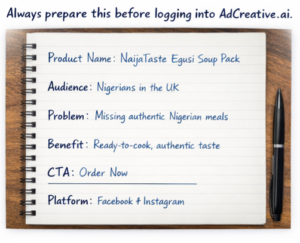
Step 1: Prepare Before You Log In
AdCreative.ai does not guess your product.
The quality of your ad depends on the quality of information you prepare before logging in.
Before opening the website, write down:
- Product Name
- Target Audience
- Main Problem it solves
- Key Benefits
- Call-To-Action
- Platform you want to advertise on
Example:
- Product Name: NaijaTaste Egusi Soup Pack
- Audience: Nigerians in the UK
- Problem: Missing authentic Nigerian meals
- Benefit: Ready-to-cook, authentic taste
- CTA: Order Now
- Platform: Facebook & Instagram
Step 2: Log in to AdCreative.ai
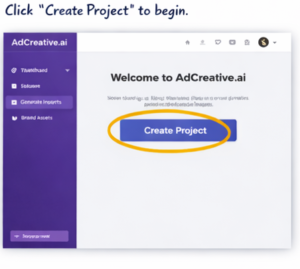
Go to https://www.adcreative.ai and sign in.
Click “Create Project” to begin.
Step 3: Set Up Your Brand
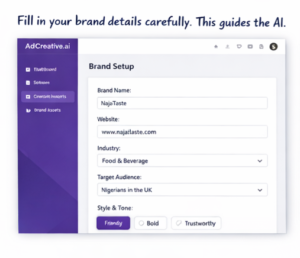
Fill in:
- Brand Name
- Website (you can use a placeholder for training)
- Industry (Food & Beverage)
- Target Audience
- Style & Tone
This information guides the AI.
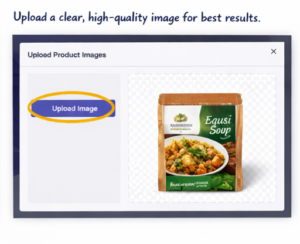
Step 4: Upload Your Product Image
Click Upload Image and select your downloaded product picture.
Use a clear, high-quality image for best results.
Step 5: Generate Your Ad Creatives
Choose:
- Platform (Facebook / Instagram)
- Format (Square recommended for beginners)
- Primary Text
- Headline
- Call-To-Action
Example Text:
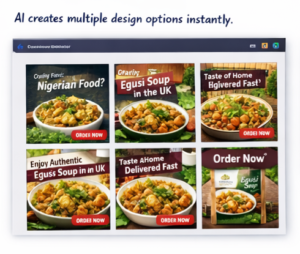
Headline: Missing Real Nigerian Food?
Primary Text: Enjoy authentic Egusi soup in the UK. Ready-to-cook and delivered fast.
CTA: Order Now
Click Generate Creatives.
Step 6: Review and Download
Review your designs:
- Is the headline clear?
- Is the product visible?
- Is the text readable?
- Would you click this ad?
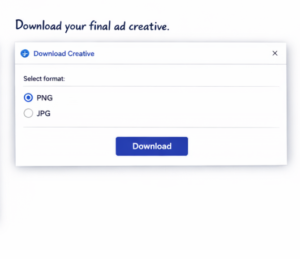
You can edit, regenerate, or download your final creative.
Bonus: What Makes a Good Ad?
- Clear headline
- One strong message
- Visible product
- Strong call-to-action
- Correct audience targeting
AI designs. You provide direction.
Who Is This For?
- Small business owners
- Startups
- Side hustlers
- Food vendors
- Fashion sellers
- Anyone selling products online
You do NOT need:
- Graphic design skills
- Marketing degree
- Coding knowledge
Final Thoughts
You don’t need an agency to start advertising.
You don’t need expensive designers.
You need:
- Clear product information
- A good product image
- A clear message
- And AI tools like AdCreative.ai
The future of advertising is DIY + AI.
Now it’s your turn. Go create your first ad, use our affiliate link to log on to Adcreative Platform
Affiliate Disclaimer: Some links in this content are affiliate links, which means we may earn a commission if you purchase through them. This helps support our work at no additional cost to you.