Can AI Copy a Dance Movement From One Person to Someone Else’s Picture?
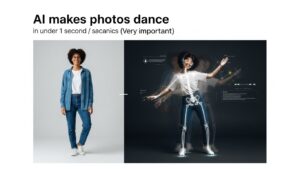
A Complete Beginner-to-Creator Guide to AI Dance & Motion Transfer
Table of Contents
- Introduction: From Curiosity to Creation
- What Is AI Dance or Motion Transfer?
- How AI Dance Motion Transfer Works
- Why TikTok Pop Dance Is Perfect for AI Motion Transfer
- Best AI Tools for TikTok Pop Dance
- Quick Comparison Table
- What Can You Create With AI Dance Tools?
- Quality, Privacy & Ethical Considerations
- Are Any AI Dance Tools Free for Longer Videos?
- The Free Creator Workaround
- Best Tools for Long Free Workflows
- Pro Tips for Seamless Results
- When Paid AI Dance Tools Make Sense
- Common Beginner Mistakes to Avoid
- Can AI Make Animals Dance or Sing?
- Frequently Asked Questions
- Final Thoughts
Introduction: From Curiosity to Creation
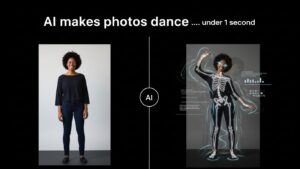
You may have heard it somewhere online or seen it pop up on TikTok:
a picture of someone suddenly dancing — perfectly synced to a viral pop track.
That curiosity often leads to one big question:
“Is there an AI tool that can copy a dance movement from another person and apply it to someone else’s picture?”
The answer is yes — and it’s already happening.
In this guide, we’ll walk you through what these tools are, how they work, which ones are best for TikTok pop dances, what is actually free, and how creators realistically make longer videos (3–5 minutes) without paying.
This is written as a practical training guide and pillar blog, designed to help beginners and curious creators understand the full landscape and confidently try it themselves.
What Is AI Dance or Motion Transfer?
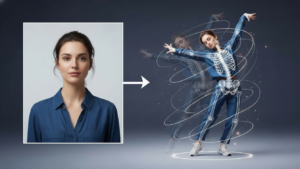
AI dance transfer (also called motion transfer or motion imitation) is a technology that allows you to:
- Take movement from a video (for example, a TikTok pop dance)
- Apply that movement to:
- A static photo
- Another person
- A character, avatar, or illustration
- Generate a new video where the photo appears to dance like the original performer
In simple terms: AI learns how a body moves and applies that movement to a different image.
How AI Dance Motion Transfer Works (Behind the Scenes)
- Reference Video Upload – The dance or movement you want to copy.
- Target Image Upload – A still image of the person to animate.
- Motion Analysis – AI detects joints, poses, rhythm, and timing.
- Motion Application – Movements are mapped onto the image.
- Video Generation – A new animated dance video is produced.
The result is a photo that dances as if it were filmed live.
Why TikTok Pop Dance Is Perfect for AI Motion Transfer
- Short and rhythmic
- Repetitive and beat-driven
- Focused on upper-body movement
- Designed for viral impact
This makes TikTok pop dances much easier for AI to replicate convincingly.
Best AI Tools for TikTok Pop Dance (Ranked)
🥇 Viggle AI — Top Choice
- Designed for viral dance motion
- Excellent arm and hip tracking
- Strong identity consistency
- Beginner-friendly
🥈 Pollo AI – Mimic Motion
- Smooth, natural movement
- Handles imperfect photos
- Motion strength control
🥉 Kling Motion Control
- Highly realistic motion
- Handles fast footwork
- More advanced and credit-based
Quick Comparison Table
| Tool | TikTok Dance | Ease of Use | Realism |
|---|---|---|---|
| Viggle AI | ⭐⭐⭐⭐⭐ | ⭐⭐⭐⭐⭐ | ⭐⭐⭐⭐ |
| Pollo AI | ⭐⭐⭐⭐ | ⭐⭐⭐⭐ | ⭐⭐⭐⭐ |
| Kling Motion | ⭐⭐⭐⭐ | ⭐⭐⭐ | ⭐⭐⭐⭐⭐ |
What Can You Create With AI Dance Tools?
- A friend’s photo doing a viral TikTok dance
- Yourself dancing without filming
- Cartoon characters performing choreography
- Animated portraits for social media
- Fun, shareable content with zero dance skills
Quality, Privacy & Ethical Considerations
- Results vary in quality
- Check how tools store your data
- Always obtain consent
- Clothing and pose affect output quality
Are Any AI Dance Tools Free for Longer Videos?
No. Fully free, uninterrupted 3–5 minute AI dance generation does not currently exist.
| Tool | Free Long Video? | Reason |
|---|---|---|
| Viggle | No | Length limits |
| Pollo AI | No | Credit caps |
| Kling | No | Compute cost |
The Free Creator Workaround
The Segment + Stitch Method
- Split your dance into 15–30 second clips
- Generate each clip using free tiers
- Stitch everything together in a free editor
The result looks continuous and costs nothing but time.
Pro Tips for Seamless Results
- Start clips with similar poses
- Cut on musical beats
- Keep angles consistent
- Maintain lighting and background
When Paid Tools Make Sense
Paid plans are worth it for monetization, brand deals, or professional projects. For learning and fun, free workflows are enough.
Common Beginner Mistakes to Avoid
- Low-resolution images
- Complex choreography
- Changing backgrounds mid-video
- Expecting perfection instantly
Can AI Make Animals Dance or Sing?
AI can animate animals in stylized ways, but realistic singing or dancing animals remain limited. These outputs are best used for fun and creativity.
Final Thoughts: Your Turn to Create
You now understand what AI dance transfer is, which tools work best, what’s free, and how to create long videos without paying.
Try a tool, experiment, and share what you learn. Your creative journey can help others build confidently.
Happy creating — and welcome to the future of dance, powered by AI 💃🕺✨