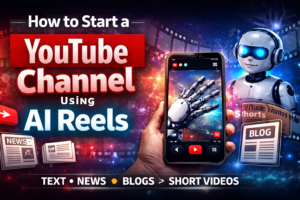
How to Start a YouTube Channel Using AI Reels (Text, News & Blog Content)
Starting a YouTube channel no longer requires expensive cameras, editing skills, or even appearing on screen. With tools like MakeReels.ai, you can turn simple written content—like blog posts, news, or scripts—into engaging YouTube Shorts in minutes.
In this guide, you’ll learn exactly how to build a content-driven YouTube channel using AI automation.
Why This Strategy Works
Short-form video on YouTube is exploding, especially with YouTube Shorts.
Instead of creating content from scratch, you can:
- Repurpose blog posts
- Summarize trending news
- Turn text into engaging videos
- Post consistently without burnout
This approach allows you to scale fast—even if you’re starting from zero.
Step 1: Choose a Profitable Niche
Your niche determines how fast your channel grows.
Best niches for AI-generated reels:
- AI tools & tech updates
- Business & startup tips
- Finance & side hustles
- Motivation & self-improvement
- Faith-based inspiration
- Career & productivity tips
💡 Since you already create AI-related content, a strong niche could be: “AI Tools Explained in 60 Seconds”
Step 2: Create Your YouTube Channel
Getting started is simple:
- Sign in to YouTube
- Click Create Channel
- Add:
- Channel name
- Logo
- Banner
- Write a clear description
Example:
Discover the latest AI tools, tech trends, and productivity hacks in under 60 seconds.
Step 3: Turn Content Into Shorts
This is where the magic happens.
You can convert:
- Blog posts → multiple videos
- News → quick updates
- Scripts → engaging reels
Example
A single blog post can become:
- “Top 3 AI Tools for Startups”
- “AI Tool That Replaces Recruiters”
- “Avoid This AI Hiring Mistake”
One article = 5–10 videos
Step 4: Use MakeReels.ai to Generate Videos
With MakeReels.ai, you don’t need editing skills.
Workflow:
- Open MakeReels.ai
- Click Create Reel
- Choose source:
- Text
- Blog URL
- Script
- News
- Paste your content
- Select:
- Voiceover
- Captions
- Visual style
- Generate and download
Your video is automatically formatted for:
- YouTube Shorts
- Instagram Reels
- TikTok
Step 5: Use Blog Links as Content
Instead of writing scripts manually, just paste a blog URL.
The tool will:
- Extract key points
- Summarize content
- Generate a ready-to-use video
This is perfect for:
- Your own blog
- Affiliate content
- Educational posts
Step 6: Turn News Into Viral Shorts
News content performs extremely well.
Example format:
Hook: “AI just changed hiring forever…”
Value: Explain the news in 2–3 lines
CTA: “Follow for daily AI updates”
Consistency here can grow your channel fast.
Step 7: Use the Proven Shorts Structure
Every video should follow this:
1. Hook (First 2 seconds)
Grab attention instantly.
2. Value
Deliver quick, useful information.
3. Call to Action
Examples:
- “Subscribe for daily AI tools”
- “Full guide in description”
Step 8: Post Consistently
To grow fast, aim for:
- 3–5 videos daily
- Batch-create content using AI
- Stay consistent for at least 30 days
Consistency = growth.
Step 9: Monetize Your Channel
Once your channel grows, you can earn through:
1. Ads
Via the YouTube Partner Program
2. Affiliate Marketing
Promote tools and earn commissions
3. Blog Traffic
Drive viewers to your website for:
- SEO growth
- More conversions
Step 10: Follow Copyright Rules
To stay safe and monetize:
- ✔ Always summarize or transform content
- ✔ Add voiceover or captions
- ✔ Avoid copying content directly
Final Thoughts
This method is one of the fastest ways to start and grow a YouTube channel in 2026.
You don’t need:
- Camera
- Studio
- Editing skills
Just:
- Content (text, blog, or news)
- AI tools
- Consistency
🎥 Want to See This in Action?
We’ve created 4 powerful videos that walk you through everything step-by-step:
👉 Visit our YouTube channel to watch:
- 10 YouTube Channel Niches That Grow Fastest Using AI Reels
- A Full Automation Workflow (Run a Channel Almost Automatically)
- How to Create 30 YouTube Shorts in 1 Hour Using AI
- Practical Training: How to Use MakeReels.ai to Generate Videos
🚀 Don’t just read it—see exactly how it’s done, follow the practical training, and start your own channel today.